

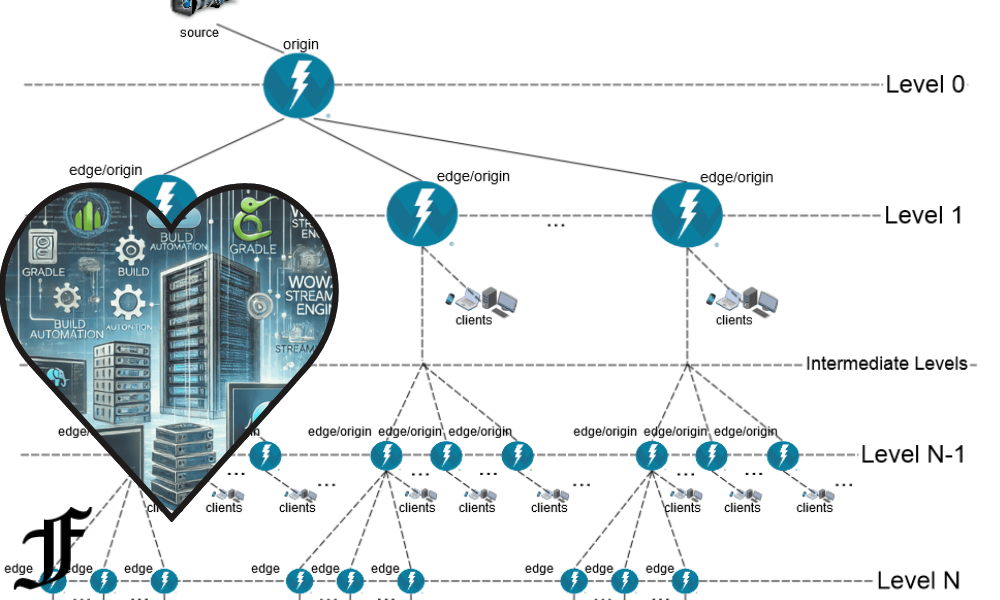
The wowza gradle plugin is a useful topic for developers who want a cleaner, faster, and more organized way to build custom modules for Wowza Streaming Engine. Instead of managing every file manually or depending only on older build methods, a Gradle-based workflow can help developers compile Java code, package modules into JAR files, and prepare extensions for deployment with better consistency. Wowza’s own developer documentation now also highlights a modern Gradle and Docker Compose workflow for extending Wowza Streaming Engine, making this topic even more important for teams that build custom streaming features: Wowza Streaming Engine Plugin Builder.
What Is Wowza Gradle Plugin?
The term wowza gradle plugin usually refers to a Gradle-based tool or workflow used to build modules for Wowza Streaming Engine. Wowza Streaming Engine is a powerful media server used for live streaming, video-on-demand, low-latency streaming, and custom media delivery workflows. Developers often extend Wowza by writing Java modules that add custom logic to the server.
These modules may handle events, authentication, stream control, logging, custom HTTP providers, business rules, or special automation inside a streaming workflow. Without a proper build system, managing these Java files can become messy. A Gradle plugin or Gradle build setup makes the process easier by organizing dependencies, compiling code, creating JAR files, and preparing the output for deployment.
In simple words, the wowza gradle plugin helps developers turn custom Wowza module code into something the Wowza server can run.
Quick Overview of Wowza Gradle Plugin
| Feature | Details |
|---|---|
| Main Use | Building custom Wowza Streaming Engine modules |
| Technology | Gradle, Java, Wowza Streaming Engine |
| Output | Usually a JAR file |
| Best For | Developers, streaming engineers, backend teams |
| Common Tasks | Compile code, manage dependencies, package modules, deploy locally |
| Modern Alternative | Wowza Plugin Builder with Gradle and Docker Compose |
| Skill Level | Intermediate to advanced Java development |
Why Developers Use Gradle for Wowza Modules
Gradle is popular because it gives developers more control over the build process. In older Java projects, developers often used Ant scripts or manual build steps. Those methods can still work, but they are not always smooth for modern development teams.
With Gradle, you can define your build logic in a clear file, automate repetitive tasks, manage libraries, and keep your project structure more professional. This matters when you are working on Wowza modules because even a small mistake in packaging or dependencies can stop the module from loading correctly.
A Gradle-based Wowza workflow is useful because it can reduce human error. Instead of manually copying files, compiling classes, and placing JARs in the correct folder, developers can run a build command and get a ready-to-use module package.
How Wowza Modules Work
Wowza Streaming Engine is built in Java, and its custom modules are also commonly written in Java. These modules can hook into server events or application-level events. For example, a module may run when a stream starts, when a stream stops, when a client connects, or when an application is initialized.
A developer may create a module to check user permissions before allowing playback. Another team may build a module that logs stream analytics. Some developers create custom integrations with payment systems, content management platforms, or internal dashboards.
After writing the Java code, the developer must compile it and package it into a JAR file. That JAR file is then placed in the correct Wowza directory so the server can load it. This is where the wowza gradle plugin or Gradle-based build setup becomes valuable.
Benefits of Using Wowza Gradle Plugin
The biggest benefit is automation. A good Gradle setup allows developers to build the project with a single command. This saves time and avoids repeated manual steps.
Another benefit is consistency. If multiple developers are working on the same Wowza module, Gradle helps everyone follow the same build process. This is important for professional teams because one developer’s local setup should not produce a different result from another developer’s setup.
Gradle also makes dependency management cleaner. If a project needs external libraries, Gradle can define them in one place. This helps avoid confusion and makes the project easier to maintain over time.
For larger streaming projects, a Gradle-based workflow can also fit better with CI/CD pipelines. Teams can build and test modules automatically before deploying them to staging or production servers.
Older Community Wowza Gradle Plugin
One known community plugin is the Stancalau Wowza Gradle Plugin. It was created to help build Wowza modules using Gradle and is available through GitHub and Maven Central. Its purpose is simple: make Wowza module development easier by replacing more manual or outdated build steps with a Gradle workflow.
This plugin can be useful for developers maintaining older Wowza module projects. If a project was already built around this plugin, it may still help with compiling and packaging module code. However, developers should check compatibility carefully before using it in a new production project.
Because software ecosystems change, older plugins may not always match the latest Gradle versions, Java versions, or Wowza development recommendations. That does not make the plugin useless, but it does mean developers should test it properly before relying on it.
Modern Wowza Gradle and Docker Workflow
Wowza’s newer documentation focuses on a more modern development environment using Gradle and Docker Compose. This approach is helpful because it allows developers to build, test, and run custom Wowza extensions in a containerized local setup.
A Docker-based workflow can solve many environment problems. Instead of installing everything directly on the computer and hoping it matches production, developers can run a local Wowza environment inside a container. This makes testing cleaner and more repeatable.
The modern workflow usually includes a sample plugin, Gradle-based build scripts, Docker Compose configuration, and a local server environment. Developers can modify the sample plugin, build it into a JAR file, and test it inside the container.
This is especially useful for teams that want a more professional development setup. It also helps new developers understand how Wowza modules behave before deploying them to a real server.
Wowza Gradle Plugin vs Manual Build Process
A manual build process may work for very small experiments, but it becomes difficult as the project grows. Manual work can include compiling Java files, locating the correct Wowza library files, copying JAR files, updating configuration, and restarting the server.
With Gradle, many of these steps can be automated. Developers can define tasks such as build, clean, package, and deploy. This creates a smoother workflow and reduces the chance of forgetting an important step.
Manual builds are also harder to document. If one developer remembers the steps but another developer does not, the team can lose time. A Gradle file acts like living documentation because it shows how the project is supposed to be built.
For professional Wowza development, Gradle is usually the better choice.
Common Use Cases for Wowza Gradle Plugin
One common use case is building authentication modules. For example, a company may want users to enter a valid token before watching a live stream. A custom Wowza module can check the token and allow or block access.
Another use case is stream event tracking. A module can record when a stream starts, how long it runs, and when users connect or disconnect. This data can be sent to analytics tools or internal dashboards.
Developers may also create custom HTTP providers. These allow external systems to communicate with Wowza through HTTP endpoints. For example, a dashboard could trigger server actions or retrieve status information.
Other use cases include watermark control, stream redirection, custom logging, monitoring, DRM-related logic, or integration with third-party platforms.
Basic Workflow for Building a Wowza Module with Gradle
A simple workflow usually starts with creating a Java project. The project contains source code, a Gradle build file, and any required configuration files. The developer then adds Wowza library references so the Java code can compile against Wowza APIs.
Next, the developer writes the module class. This class usually extends or implements Wowza’s required module structure. The code may include methods that run when an application starts, when a stream begins, or when a client connects.
After writing the code, the developer runs a Gradle build command. Gradle compiles the Java files and creates a JAR file. The JAR file is then copied to the Wowza server’s library or addon folder, depending on the setup.
Finally, the developer updates the Wowza application configuration so the server knows which module to load. After restarting or reloading the application, the module can run.
Important Requirements Before Using Wowza Gradle Plugin
Before using any wowza gradle plugin workflow, developers should have basic Java knowledge. Wowza module development is not only about running Gradle commands; it also requires understanding how server-side Java code works.
A local Wowza Streaming Engine installation or Docker-based Wowza environment is also important for testing. Developers should not test new modules directly on a production server unless they are fully confident and have backups.
Gradle should also be installed or available through a Gradle wrapper. The Gradle wrapper is often better because it allows the project to use a specific Gradle version without depending on what is installed globally on the computer.
Developers should also know where Wowza stores its library files, configuration files, and logs. Logs are especially important because they help identify why a custom module is not loading correctly.
Common Problems and Fixes
One common problem is missing Wowza library files. If Gradle cannot find the required Wowza JAR files, the project will not compile. The solution is to make sure the build file points to the correct Wowza library directory.
Another common issue is Java version mismatch. If the project is built with a Java version that is not compatible with the Wowza server environment, the module may fail. Developers should check the Java version required by their Wowza installation.
A third problem is incorrect module configuration. Even if the JAR file is built correctly, Wowza may not load it if the application configuration is wrong. The module name and class path must be correct.
Sometimes the module loads but does not behave as expected. In that case, developers should check Wowza logs carefully. Logging inside the module is also helpful because it confirms whether certain methods are running.
Best Practices for Wowza Gradle Plugin Projects
Keep the project structure clean. Separate source code, configuration files, build files, and documentation. A messy project becomes difficult to maintain.
Use meaningful package names and class names. This is important because Wowza loads modules based on full class paths. Clear names also help other developers understand the code.
Add logging from the beginning. Logs make debugging much easier, especially when working with server events and stream behavior.
Avoid hardcoding sensitive information such as license keys, API tokens, passwords, or private URLs. Use environment variables or configuration files that are not committed to public repositories.
Test modules locally before deploying them to production. A small mistake in a Wowza module can affect live streams, so testing is very important.
Should You Use the Older Plugin or the Newer Wowza Plugin Builder?
The answer depends on your project. If you are maintaining an older project that already uses the community wowza gradle plugin, it may be practical to continue using it after checking compatibility.
However, if you are starting a new project, the newer Wowza Plugin Builder approach is often the better choice. It follows a more modern development style and includes Docker Compose, which makes local testing easier.
For professional teams, the modern Gradle and Docker workflow is more future-friendly. It gives developers a repeatable environment, cleaner testing, and better project organization.
Still, the older plugin can be useful for learning how Gradle can support Wowza module development. It also shows how developers tried to improve Wowza build workflows before more modern tooling became common.
Why Wowza Gradle Plugin Still Matters
Even though development tools change, the idea behind wowza gradle plugin still matters. Developers need a reliable way to build and package server-side modules. Gradle remains a strong tool for that purpose.
Streaming systems are complex. A media server may handle live events, VOD libraries, user authentication, CDN delivery, analytics, and real-time monitoring. Custom modules help businesses adapt Wowza to their specific needs.
Without an organized build process, these customizations become difficult to manage. Gradle helps bring structure to the process, which is why the topic continues to be relevant.
Final Thoughts
The wowza gradle plugin is more than just a small developer tool. It represents a better way to build, package, and manage custom Wowza modules. Whether you are using an older community plugin or Wowza’s newer Gradle and Docker-based plugin builder workflow, the main goal is the same: make Wowza extension development faster, cleaner, and more reliable.
For developers working with Wowza Streaming Engine, learning Gradle-based workflows can save time and reduce mistakes. It also makes projects easier to share, test, and maintain. If your streaming platform depends on custom Wowza logic, a proper Gradle workflow is a smart step toward professional development.
FAQs About Wowza Gradle Plugin
What is wowza gradle plugin?
The wowza gradle plugin is a Gradle-based tool or workflow used to build custom modules for Wowza Streaming Engine. It helps compile Java code, package modules, and prepare them for deployment.
Is wowza gradle plugin official?
There has been a community Wowza Gradle Plugin, but Wowza’s newer official documentation focuses on a Gradle and Docker Compose plugin-builder workflow for custom Java modules.
What language is used for Wowza modules?
Wowza modules are commonly written in Java because Wowza Streaming Engine is Java-based and provides Java APIs for server customization.
Why use Gradle for Wowza development?
Gradle helps automate builds, manage dependencies, package JAR files, and create a more consistent workflow for developers.
Can beginners use wowza gradle plugin?
Beginners can learn it, but it is better suited for developers who already understand Java, Gradle basics, and server-side development.
What is the output of a Wowza Gradle build?
The output is usually a JAR file that contains the compiled custom Wowza module. This JAR file can then be deployed to Wowza Streaming Engine.
Is Docker required for Wowza Gradle development?
Docker is not always required, but Wowza’s modern plugin-builder workflow uses Docker Compose to make local testing easier and more consistent.
Should I use the old community plugin or the new Wowza workflow?
For old projects, the community plugin may still be useful. For new projects, the newer Wowza Gradle and Docker Compose workflow is usually a better starting point.
Visit for more info: Famousdaily.co.uk